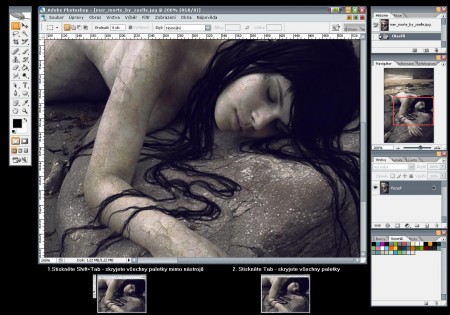
Shift+Tab Hides all Adobe Palettes Except Toolbox

Written by David

On 07/09/2007

Shift+Tab Hides all Adobe Palettes Except Toolbox

Shift-Tab Hides all Adobe Palettes Except Toolbox. – Most designers know that tapping the Tab key is the quick way to temporarily hide all open palettes in Adobe Photoshop, InDesign or Illustrator. Very handy when your design is obscured by too many windows.

Even more handy: Press Shift + Tab and you can keep your Toolbox and Options bar, but hide the other palettes!


Shift-Tab Hides all Adobe Palettes Except Toolbox

David

Graphic and website designer, currently maintaining web servers for existing clients and building websites for new clients. In my free time, I learn about Linux, SSH, and WP-CLI and I’m preparing this blog.

Show/Hide Comments (0 comments)

0 Comments

Social followers

Articles

Million Visits

Pin It on Pinterest

Shares